
Native Instruments
Native Instruments Unveils New Audio Format


Native Instruments has unveiled a new file format that enables DJs, producers, and live performers to mix with a track’s different musical elements. The format, which is called “Stems,” was announced at Miami’s Winter Music Conference on Friday.
Their press release says:
“A Stem file allows DJs and live performers to interact with different musical elements of a track independently by accessing four different ‘stem’ parts such as the bass, drums, melody, or vocals. This type of mixing introduces new performance possibilities and enriches the listening experience for music lovers. As a premium file format, Stems can also create new revenue streams for music labels and online retailers to grow their business. Developed by software and hardware DSP specialists Native Instruments, Stems is an open file format designed to benefit the entire music industry.”
Stems is open format, which means anyone will be able to create, perform with, and distribute them. Producers, DJs, and labels will be able to author their own Stem files using a free standalone application. Additionally, developers will have full access to format specifications and code examples so they can integrate Stem support into their products.
Select artists, labels, production companies and Native Instruments will begin supporting Stems in coming months. A website containing all technical specifications, source code, tutorials, and downloads will launch in June.
Here’s what some DJs have said about Stems so far:
DJ Craze
“The Stems format is very exciting to me because I come from the generation where records have 1/Instrumental/Acapella and Dubapellas, so now I’ll be able to get way more creative with my sets and have fun combining elements from tunes I like.”
MK
“Stems is just what the industry needed. It will change the way music is mixed down from a producer’s standpoint. It will make producers think more about what they are actually doing when they make music for DJs to play.”
Related: An Inside Look at Native Instruments’ Los Angeles Office
Watch MK Perform at Native Instruments’ WMC Event
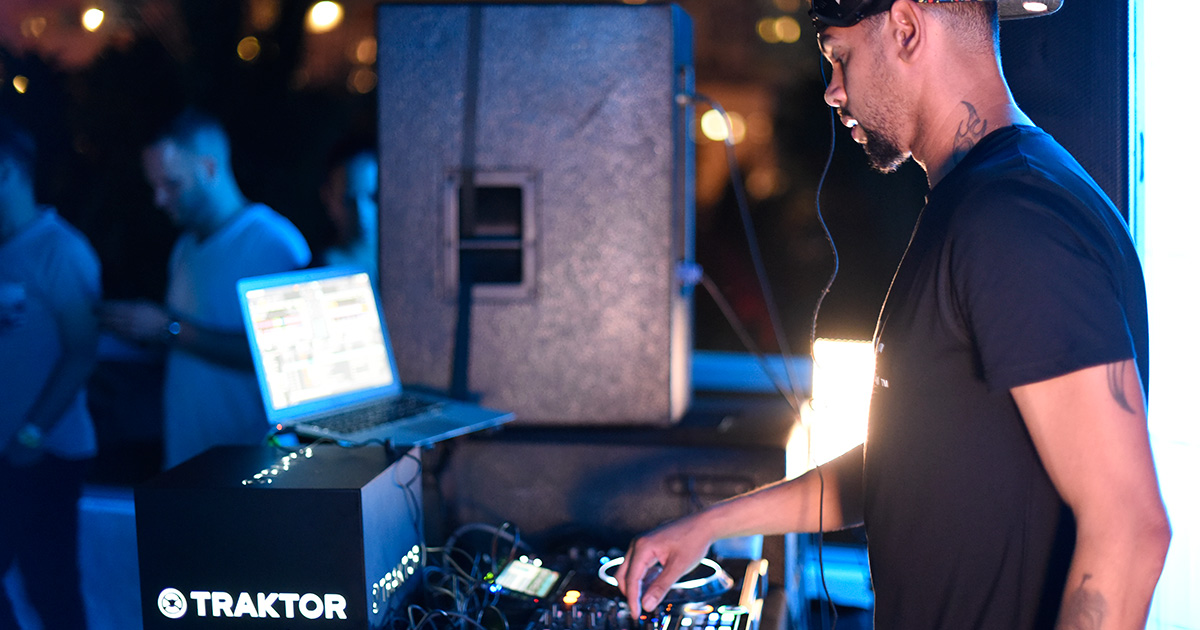
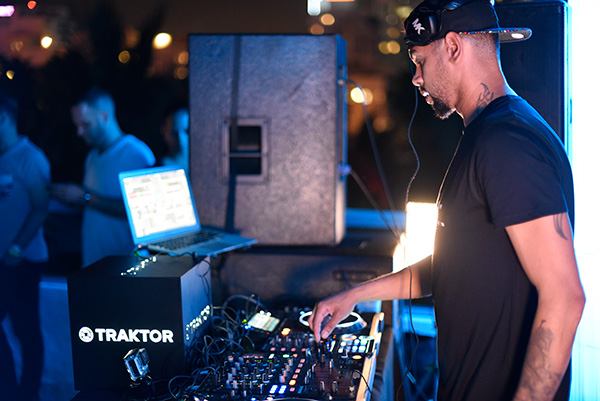
MK performing at the Red Bull Guest House for Native Instruments’ WMC live stream (Alex Markow)
Winter Music Conference is currently going down in Miami, and there’s cool stuff happening every day. One event that caught our attention was a live stream on Thursday night at the Red Bull Guest House. The Native Instruments-hosted party featured performances from house and techno artists Marc Kinchen aka MK, Dubfire, and Uner. MK is a legend and his hour-long set is a must-listen for house fans. Watch it below.
You can also stream Dubfire and Uner’s sets here and here.
Related: MK Believes That Controllers Will Dominate in the Future
Watch Asadi’s Impressive Finger-Drumming and Live Remixing Skills
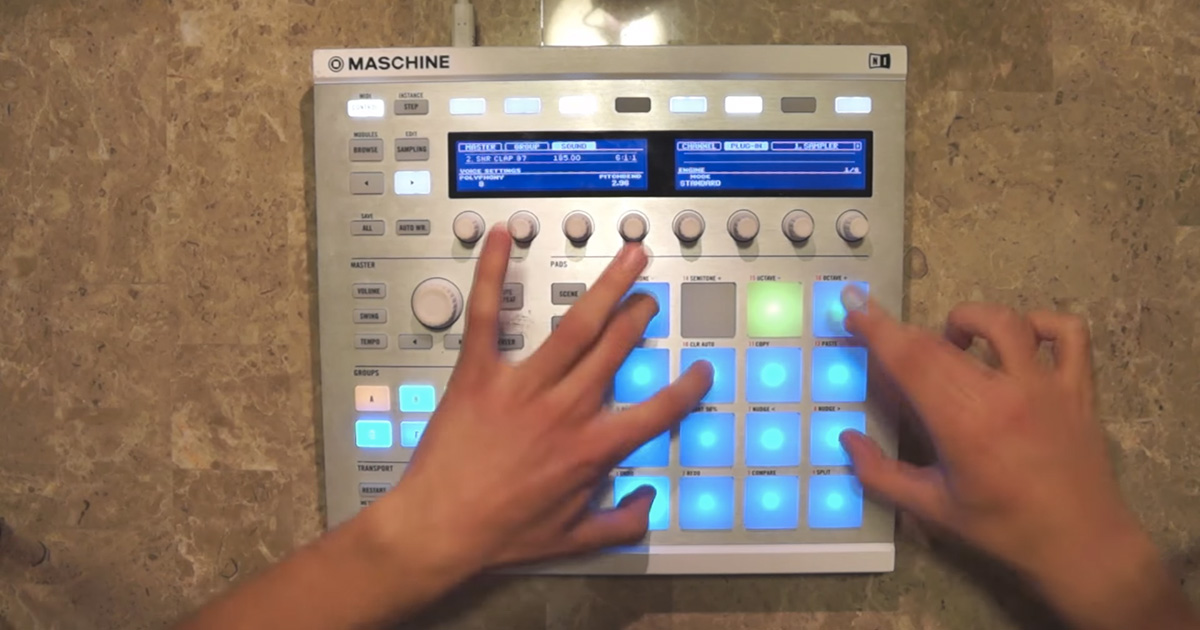
We love discovering new talent and a producer from Ohio named ASADI is our latest find. The up-and-comer goes absolute beast mode in his new routine, which makes excellent use of Native Instruments’ Maschine controller.
“This is how I play live. Those are my hands,” ASADI says.
YAWK, YAWK, YAWK, YAWK!
Related: Mark de Clive-Lowe Demonstrates How to Combine Komplete with Maschine
Mark de Clive-Lowe Demonstrates How to Combine Komplete with Maschine
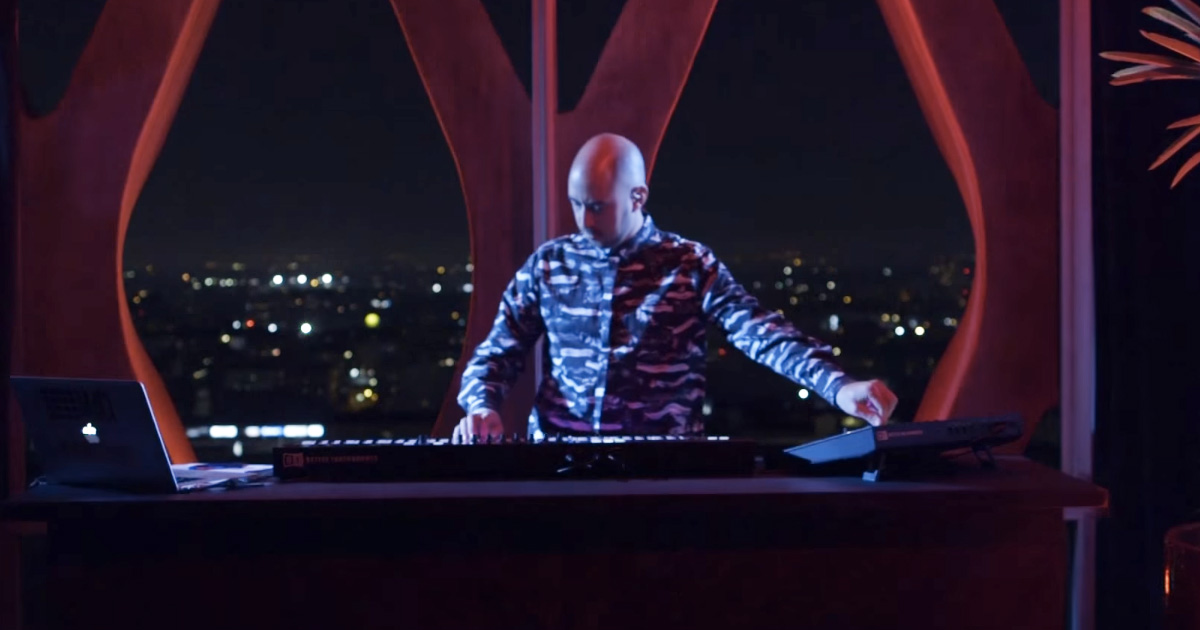
Last September, we saw jazz musician and live electronic artist Mark de Clive-Lowe demonstrate Native Instruments’ new Komplete Kontrol S-Series and Komplete 10 in Los Angeles. Thankfully, the folks that weren’t able to catch the private performance can now watch a video that features de Clive-Lowe performing in real-time with the same equipment, along with Maschine Studio. The video above is intended to show how Maschine and Komplete can be combined to maximize creative potential.
Learn more about using Komplete and Maschine together at Native Instruments’ website.
Related: An Inside Look at Native Instruments’ Los Angeles Office
Mixed In Key Introduces Automatic Cue Points for Serato and Traktor
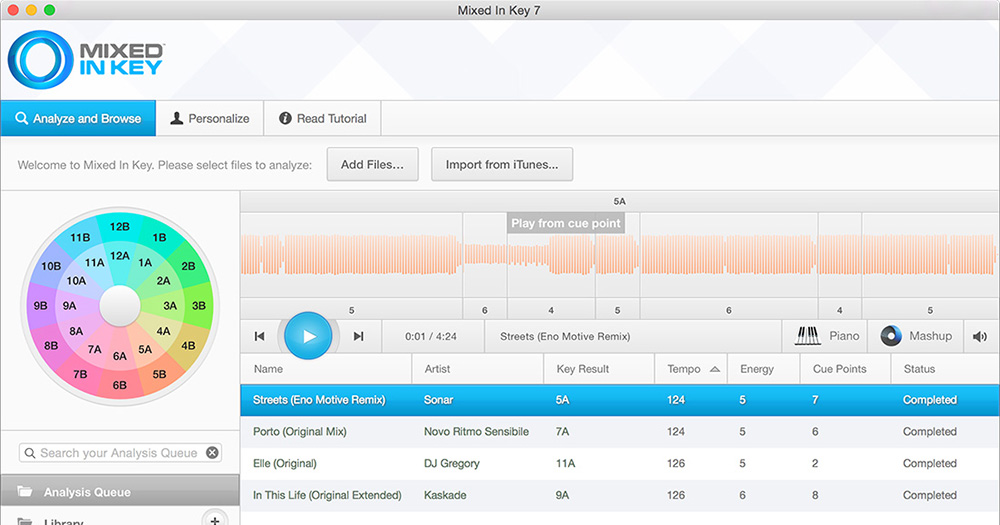
Mixed In Key 7.0 was released today and it comes with a new feature that enables DJs to automatically create cue points. This is a useful addition, as it saves DJs who use Serato and Traktor from listening to all of their tracks and manually creating cue points. Watch the video above to see how the feature works and visit their website for more info.
Related: Serato Introduces ‘DJ Kits’
Native Instruments Traktor Kontrol S8 Review
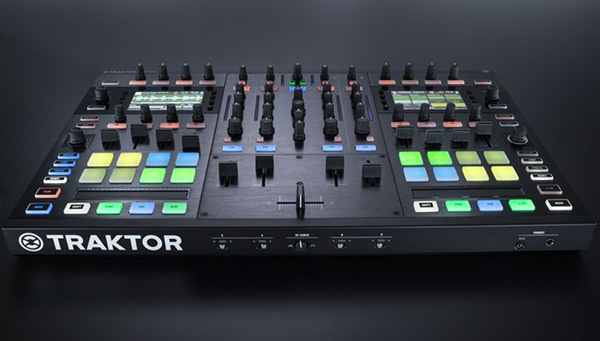
In a time when people can learn how to DJ in just months, it’s rare to find a user-friendly controller with features that challenge DJs to approach their sets like musicians. Native Instruments’ new Traktor Kontrol S8 is an exception, though. Released in late October, the device was introduced as a “flagship all-in-one DJ system built solid for an enhanced, cutting-edge DJ experience.” We asked DJ Zo, a talented turntablist and controllerist from Los Angeles, to put the S8 through the paces and report back on his experience.
Pros
High-quality design
Unlike its predecessors, the S4 and S2, the S8 has a sturdy build. Lighter than the Pioneer DDJ-SZ and heavier than the Vestax VCI, it seems durable enough to endure the rigors of touring. The unit also functions as a standalone 4-channel mixer with RCA inputs and a dedicated mic input on the back.
Improved audio interface
In terms of sound, the S8 has some advantages over the S4 and S2:
– It has dedicated quarter-inch booth outputs with volume adjustments on the front of the mixer, unlike the S4 and S2, which have RCA outputs and inaccessible volume adjustments in the back.
– The S8’s individual channel gains have a traditional knob, unlike the S4 and S2’s “forever” knob, which results in the volume jumping every time a new track is loaded.
– The S8’s cue volume is plenty loud, unlike the S4, which caused problems when using high performance headphones with low impedance like the Beats Pros.
– There’s a dedicated mic assign button on the mixer so that you don’t have to assign it in the software settings, unlike the S4 and S2.
– The S8 works great as a standalone sound card when tracking in Pro Tools, Ableton and other DAWs.
Smooth faders
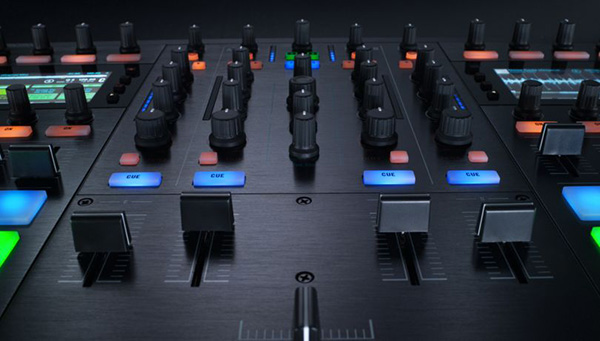
The S8′s up faders are some of the smoothest I’ve ever felt. They have a bit of weight so you can ride the volumes on long mixes. There are also dedicated up faders for the Remix Deck, which have the same feel as the deck’s up faders. The crossfader is light yet tight and a little bit heavier than the Pioneer DJM-900SRT crossfader but doesn’t have as much resistance as that of Rane mixers. It feels like a mini Innofader. The S8′s fader is great for scratching but those who prefer more weight can add their own faders by removing the middle panel. Also, the crossfader assign and curve settings have been moved to the front of the controller, so that you no longer need to change them in Traktor.
Updated buttons and pads
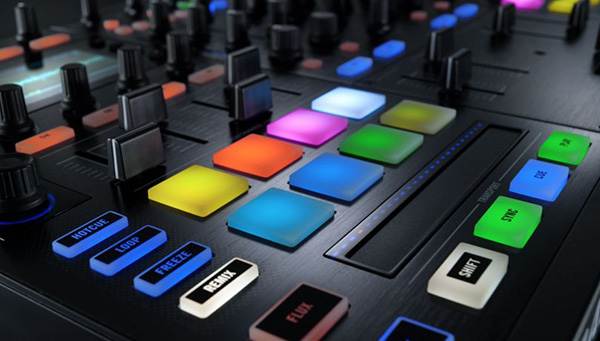
It’s difficult to design the perfect pads and buttons because everyone’s taste is different. However, the S8 achieves a balance for producers, controllerists, and “button pushers” alike. The pads feel like a cross between the Maschine and Kontrol F1 pads. All of the buttons illuminate when pressed and they seem more durable than those of the S4 and S2. The pads are slightly different than the rest of the buttons on the mixer. They are larger and hold a bit more resistance so that you can really bang on them. They are not fully producer-friendly because they make a clicking sound, but they’re much more responsive than those of the S4 and S2. Occasionally with the S4 and S2 (not MK1 versions), it wasn’t possible to cue-point drum accurately because of a drum-choke that would prevent playing cue points closely together. However, this doesn’t seem to be an issue when finger drumming with the S8. Also, there are now eight total pads, which are assignable to four different groups: hotcue, loop, freeze, and remix.
Sensitive knobs
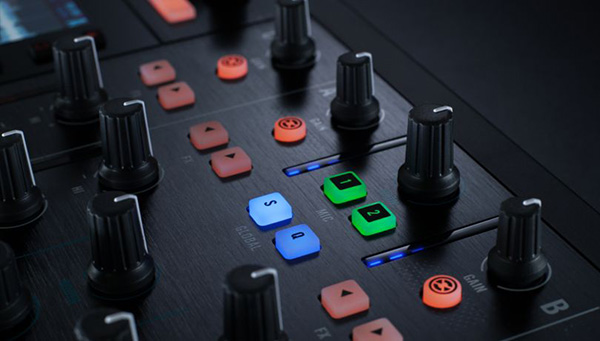
I can feel the quality and weight of the S8′s FX knobs and they’re responsive to even the smallest adjustment. Having broken nearly all the knobs on my S4, I’m very happy to say that this may be the best update for the S8. One of the coolest features of the S8 is that the FX panel appears on the high-resolution display when any of the knobs are touched. Adjustments can be made to the FX group or you can switch between other FX and parameters, all from the built-in display. The other knobs on the mixer (EQ, filter, browse, cue volume, etc.) are similar to the S4 but feel a little bit heavier and more durable.
Built-in features
Native Instruments bill themselves as the “future of sound” and I believe they’re changing the landscape with some of the S8’s features. One of the most impressive is the built-in high-resolution displays, which are there so that you don’t have to ever look at your laptop. They’re beautifully colored and very functional, so that you can access nearly every section of the software (except for the settings) using the browse buttons. Loading new songs has never been easier, and DJs can focus more on the crowd and avoid “Traktor face.”
Integration of production and DJing
Using Traktor’s Remix Decks is one of the most futuristic ways of DJing. The S8 makes it easy to fly in and out of live loops and sets with built-in functions like filters, FX and volume adjustments, all of which are accessible on the front panel under the display. There’s also a new “Freeze” mode that was previously only available in the Traktor iPad and iPhone app. It serves as a step sequencer and enables users to deconstruct and resequence songs on the fly. When it’s combined with the Flux mode (also accessible on the front panel), you can seamlessly create new arrangements from old loops and samples.
Cons
Size and shape
There are a couple downsides to the S8’s size and shape. Firstly, when plugging the controller into CDJs or turntables, it sits low and isn’t flush with those devices. Also, the S8 is wider than the average mixer so it may be difficult to juggle or scratch if you’re using it with turntables. It’s also not very portable, as the S8 is about the size of one-and-a-half Technics turntables and just as heavy.
Steep learning curve
Some of the S8’s features may be overwhelming, especially if you’re not using the Remix Decks or Freeze mode.
Lacks jog wheels and pitch faders
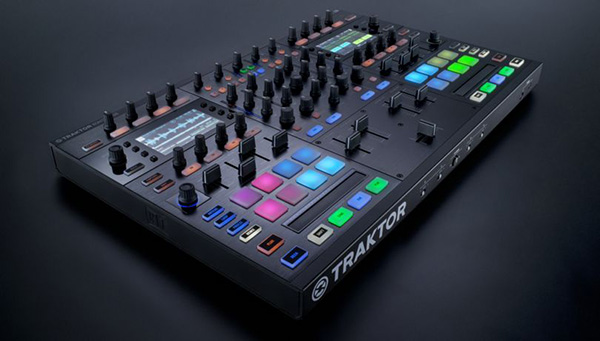
The S8 has LED-guided touch strips instead of jog wheels. As a result, the controller may prove difficult to use if you aren’t DJing electronic or quantized music. There are also no pitch faders but instead a master tempo knob. You can adjust the BPM of individual tracks in the LED display, but it’s not easily accessible.
Conclusion
The absence of jog wheels and pitch faders is often the first thing that people notice about the S8. However, after plugging turntables into decks C and D, the controller transforms into a super mixer with far more features than anything else on the market. With that said, the S8 is an excellent option for studio and performance DJs alike, as sets can transformed into wonderfully crafted musical journeys utilizing the Remix Decks and Freeze mode. The controller is overkill for DJs that cater to bar or bottle service crowds, though, especially considering the price tag ($1,199).
Related: An Inside Look at Native Instruments’ Los Angeles Office
Popular
-
September 29, 2026
The Space Jam DJ Challenge Is Here 🚀

The Space Jam DJ Challenge Is Here: 30 Years Later, It’s Your Turn to Flip It It’s been 30 years since Space Jam hit theaters, and the iconic “Space Jam” t...
-
September 22, 2026
These 8 Tracks Made MarkCutz a Top Remixer On DJcity

8 Tracks That Made MarkCutz A Top Remixer 8 Tracks That MadeMarkCutz A Top Remixer You already know the name MarkCutz. One of our top remixers and a stando...
-
September 24, 2026
The Hercules DJControl T10 Goes Big!
The DJControl T10 from Hercules takes the belt-drive spinning platter concept from their highly successful T7, and scales everything up - including...
-
September 29, 2026
September 2026 Charts: Top Downloads By Region 📈

September 2026 Download Charts DJcity's monthly charts highlight the most popular tracks globally alongside regional breakdowns across key markets. Select...
-
September 24, 2026
💍 New Wedding Playlist – Curated by Nick Spinelli

Essential Wedding Songs, Edits, & Remixes Curated by Nick Spinelli This wedding-ready playlist was curated by acclaimed special event DJ Nick Spinelli...
-
October 1, 2026
R.O.A.D. Podcast – RICH MEDINA (Pt.1): From DJ to Owner, Building Dante’s HiFi Vinyl Community
In part 1 of this 2 part episode of @RoadPodcast, the crew sits down with legendary DJ, producer, and @Dante’sHiFi creative director @RichMedina! St...
-
May 23, 2023
The Best Remixes for Wedding DJs 2023

*** UPDATE: check out our updated 2024 and 2025 playlists! Wedding season has arrived! DJcity’s Remix Director Sir Marcus has put together a list of...
-
October 2, 2026
🆕 Must-Play Tracks by Drake, Don Toliver, Chris Lorenzo + more
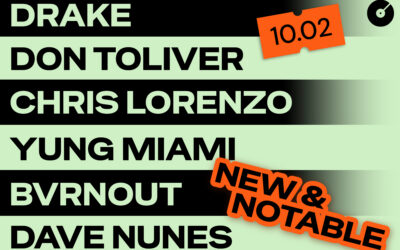
This week's notable adds on DJcity to power your weekend DJ sets 🔥 Download All Tracks This Week's Picks 01 HIP HOP Solar Eclipse Drake & Don Toliver 0...
-
September 25, 2026
🆕 Must-Play Tracks by Taylor Swift, Ty Dolla $ign, Cloonee + more
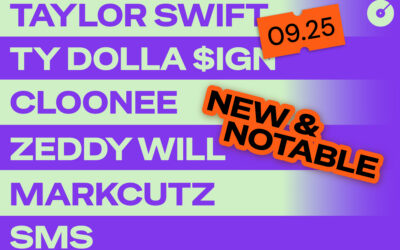
This week's notable adds on DJcity to power your weekend DJ sets 🔥 Download All Tracks This Week's Picks 01 DANCE Movimiento Cloonee, Yandel & ATLAC 02...
-
August 2, 2026
DJcity Summer Sale 2026: Get 2 Months for $10 (Use Code SUMMER26)

News • Summer Sale 2026 🚨 Summer Sale ON NOW: Get 2 Months for $10 UPDATE: THIS PROMO HAS ENDED. Summer is in full swing. Make sure your crates are loaded...